Creating a vivid design for a website involves bold, engaging visuals, dynamic layouts, and interactive elements that captivate users and enhance their experience. Let’s break down the key components of vivid design in website design and development:
1. Bold and Vibrant Color Schemes
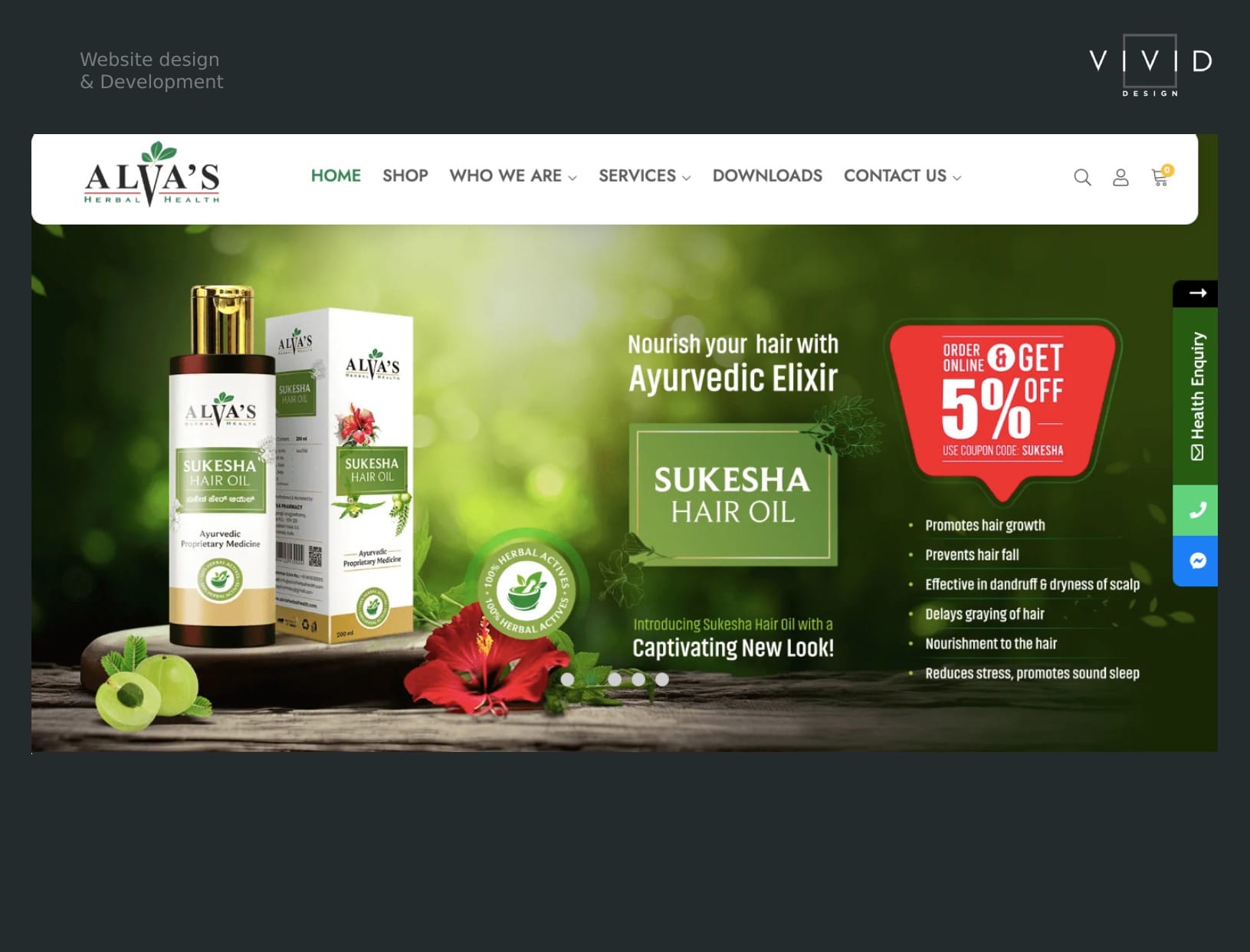
A vivid website design thrives on strong, bright, and contrasting colors. Instead of muted palettes, designers use vibrant hues like electric blues, deep purples, and neon greens to create energy and excitement. Color psychology plays a vital role here; using bold colors helps evoke emotions and encourages users to engage more actively with the site.
Pro Tip: Use gradients and color transitions to add depth and movement to the design, creating a dynamic look that guides the user’s attention.
2. High-Impact Typography
Vivid design often involves using large, bold typography that grabs attention immediately. Creative fonts with unique styles can be paired with oversized headings and subheadings to emphasize important content. This type of typography helps define the visual identity of the site, making it memorable and easy to navigate.
Pro Tip: Combine unconventional fonts with simple, readable body text to strike the perfect balance between creativity and usability.
3. Custom Illustrations and Animations
Adding custom illustrations, icons, and animations can bring a vivid design to life. Instead of relying on stock imagery, unique hand-drawn elements or digital illustrations can give the website a distinct personality. These elements also provide a sense of fluidity, and when paired with motion graphics or subtle animations, they create a more engaging and interactive experience.
Pro Tip: Use animated micro-interactions (like buttons or icons that animate when hovered over) to create a playful and dynamic user interface (UI).
4. Interactive and Dynamic Layouts
Vivid website design embraces interactive layouts that respond to user actions. Features like parallax scrolling (where background elements move at a slower rate than the foreground), split-screen designs, and scroll-triggered animations add depth and dimension to a page. These interactive elements keep users engaged as they explore the site.
Pro Tip: Incorporate interactive hotspots or clickable elements that reveal additional content, videos, or information to increase engagement and encourage exploration.
5. 3D Visuals and Immersive Experiences
Vivid designs increasingly integrate 3D visuals and immersive elements like augmented reality (AR) or virtual reality (VR). These experiences allow users to interact with the site in new ways, from viewing products in 3D to immersing themselves in virtual environments. High-quality 3D renderings add a level of sophistication and depth that flat designs cannot achieve.
Pro Tip: Use WebGL and Three.js to embed interactive 3D elements directly on the web page without sacrificing loading speed or performance.
6. Dynamic Video Backgrounds
Incorporating videos as background elements creates a vivid, story-driven design that engages users right away. Video backgrounds can showcase product demos, company missions, or lifestyle footage, helping to visually communicate the brand’s story. Dynamic video headers or hero sections add an element of surprise and keep users intrigued.
Pro Tip: Ensure video backgrounds are optimized for performance and don’t negatively impact page load times. Use short loops or lightweight video formats to achieve this.
7. Fluid and Asymmetrical Grids
Vivid design often breaks free from traditional, rigid grid structures by using asymmetrical layouts. Fluid designs with overlapping elements, skewed sections, or unexpected placements create a feeling of controlled chaos that captivates the user. The key is to maintain a visually balanced composition despite the lack of strict symmetry.
Pro Tip: Use asymmetry to emphasize certain areas of the page, guiding users’ eyes toward specific calls to action (CTAs) or important information.
8. Neumorphism and Soft UI
Neumorphism, a design style that combines flat design with skeuomorphic elements (which mimic real-world objects), creates a tactile and vivid UI. Soft shadows and smooth, rounded elements give the design a three-dimensional effect without overloading it visually. Neumorphism works well with vivid color palettes by adding depth while retaining a clean, minimal look.
Pro Tip: Incorporate neumorphism into buttons, toggles, and cards to make them appear interactive and tangible.
9. Optimized Performance and Speed
No matter how vivid and dynamic a website looks, it must load quickly and perform efficiently. High-resolution images, videos, and animations can slow down page load times, which affects user experience and search engine rankings. To maintain a vivid design without sacrificing performance, developers should use lazy loading, image compression, and CDN (Content Delivery Network) services.
Pro Tip: Use web optimization tools like Lighthouse to regularly monitor and improve website performance without compromising on design aesthetics.
10. Consistency and Brand Identity
A vivid website design should be a true reflection of the brand’s personality. Consistent use of colors, typography, icons, and imagery across the entire site ensures a cohesive and memorable experience. From the homepage to landing pages and blog sections, every element should follow a unified design language that supports the brand’s message.
Pro Tip: Design reusable components and elements within the UI/UX framework to ensure consistency while speeding up the development process.
Conclusion
Vivid website design is all about boldness, creativity, and interactivity. By leveraging striking colors, dynamic layouts, custom illustrations, and interactive elements, businesses can create a visually compelling digital experience that keeps users engaged. When paired with optimized performance and a clear brand identity, vivid design can truly set a website apart from the competition.